World of Level Design™
Tutorials to Becoming the Best Level Designer and Game Environment Artist (since 2008)

Welcome to "WoLD Insider" newsletter issue #15.
Every single "WoLD Insider" newsletter features level design and game environment art advice, tips, ideas, inspiration, links, resources and updates about World of Level Design. "WoLD Insider" is EXCLUSIVE to you as WoLD subscriber.
Following Issue #15 of "WoLD Insider" contains:
- New Update for UE5.1+ Disable Auto-Exposure Settings
- Download and Install UE5 in 5 Minutes
- Create Your First Project and Launch the Editor
- Add Additional Game Templates Into Existing Projects to Prototype in Third or First Person
- Export/Import UE5 Mannequin to Maya for Scale Reference
- 11 Principles to Learning and Using UE5 as a Complete Beginner
- Crash Course Quick-Start Guide to Begin Using Unreal Engine 5 - TODAY
- Complete Guide to Player Scale, Environment Dimensions and Creating to Proportions
- Download New "UE5: Fundamentals Vol.1" Tutorial Course
New Update for UE5.1+ Disable Auto-Exposure Settings
UE5.1+ has introduced an update to how you disable Auto-Exposure (Eye Adaptation).
Instead of using deprecated Min/Max Brightness set to 1, now use Min/Max EV100 set to 0:

Extended Default Luminance Range property is enabled for new projects by default and Min/Max Brightness has been changed to Min/Max EV100:

Before 5.1 you would have to enable this option in Project Settings > Rendering > Default section. But having this property disabled is deprecated.
UE5: How to Download and Install UE5 in 5 Minutes
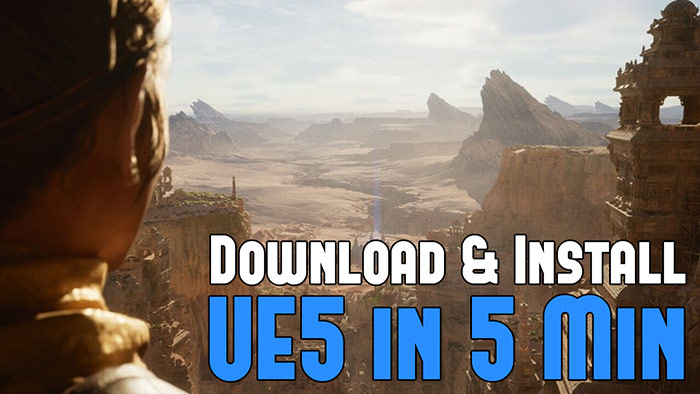
If you haven't gotten UE5 yet, here is how download and install the latest version of UE5, including any older versions of UE in just 5 minutes.
Tutorial on downloading and installing any version of UE5...
UE5: How to Create Your First Project and Launch the Editor

After you've downloaded and installed the latest version of Unreal Engine 5, you need to create a project in order to launch the UE5 editor and begin creating.
Tutorial on creating your first UE5 project and starting up the editor...
How to Add Additional Game Templates Into Existing Projects to Prototype in Third or First Person

In this tutorial I'm going to show you how to add an additional Game Templates into an existing project.
I do this to all of my projects because I want to have the ability to prototype and playtest in either Third Person or First Person game mode.
Tutorial on adding additional game templates into your project...
Maya/UE5: How to Export/Import UE5 Mannequin to Maya for Scale Reference

How how to get UE5 scale Mannequins exported from Unreal Engine and imported into your 3D modeling software. This is used for scale reference as you model your environments and props.
In my case I will use Maya. But it will work in other software such as Blender, 3DSMax and others.
Find out how to export/import UE5 or UE4 Mannequins to be used for scale into your 3d software...
UE5: 11 Principles to Learning and Using UE5 as a Complete Beginner

At first glance, UE5 interface looks simple. But the more you learn, the more you discover a massively complex piece of software.
In this post I will outline how to begin learning UE5 so you have a good foundation to build on. This way you can begin using it rather than being overwhelmed by it.
Here are 11 core principles you need to know about for learning UE5 from scratch...
UE5: Crash Course Quick-Start Guide to Begin Using Unreal Engine 5 - TODAY

The biggest frustration with UE5 is the "magnitude" of the engine.
It has so many tools, functions, parameters, editors and plugins. By the time you open the editor and ready to create, you are already overwhelmed by its complexity.
Before you try to create an environment or a game, you need to focus on the essentials of the engine. These include editor's interface, viewport navigation, using different viewport modes, project management, using the Content Browser, working with objects in the editor and creating very simple levels using Starter Content and much more. This is step 1.
This tutorial guide will give you the necessary steps to start using UE5 - TODAY...
UE5: Complete Guide to Player Scale, Environment Dimensions and Creating to Proportions

Number one mistake beginner's make is creating environments that are either too small or too big.
The entire scale of the world and its proportions are off and you can easily tell when you see it.
When you begin working on a new environment, you need to know the player and world geometry dimensions to avoid problems with scale.
In this post you will learn all the dimensions you need for creating to correct scale...
Now Out - "UE5: Fundamentals Vol.1" Tutorial Course

Being completely new to UE5, you need to learn the fundamentals - the essentials of the engine.
Do not waste time trying to "mess around with UE5 and figure out how to use it" on your own.
I will teach you Unreal Engine 5 as a complete beginner with zero knowledge of the engine and without any prior experience.
Begin your journey with UE5, get the tutorial course...
Hope you enjoyed this newsletter issue and check out some previous issues for more tutorials, techniques tips, advice and resources.

SUBSCRIBE & GET FREE UE5 PDF GUIDE
Subscribe to receive NEW/UPDATED and FREE "UE5 Beginner's Quick Start Guide" PDF (90 pages).

Visit this page for more info about the guide...
TOP 7 TUTORIAL COURSES FOR 2026
 Modular Environment Design Masterclass Tutorial Course
 Maya Foundation: Home-Study Course - Model and UV Environments
 Substance 3D Painter Essentials - Master Texturing
 UE5: Fundamentals Vol.1 - Create with Unreal Engine 5
 UE5: Retro Office Project - Create Beautiful Interior Env
 UE5: Master Material Creation - Create Master Materials in UE5
 Preproduction Blueprint: Plan Environments and Level Designs
TUTORIAL CATEGORIES
MODULAR ENVIRONMENTS MASTERCLASS

UE5: RETRO OFFICE PROJECT

MAYA FOUNDATION COURSE

SUBSTANCE PAINTER ESSENTIALS

LEARN THE PREPRODUCTION PROCESS

ABOUT WoLD & ALEXG

My name is AlexG. I am self-taught level designer, game environment artist and the creator of World of Level Design.com. I've learned everything I know from personal experimentation and decades of being around various online communities of fellow environment artist and level designers. On World of Level Design you will find tutorials to make you become the best level designer and game environment artist.
Home Terms of Use/Trademarks/Disclaimers Privacy Policy Donate About Contact
All content on this website is copyrighted ©2008-2024 World of Level Design LLC. All rights reserved.
Duplication and distribution is illegal and strictly prohibited.
World of Level Design LLC is an independent company. World of Level Design website, its tutorials and products are not endorsed, sponsored or approved by any mentioned companies on this website in any way. All content is based on my own personal experimentation, experience and opinion. World of Level Design™ and 11 Day Level Design™ are trademarks of AlexG.
Template powered by w3.css