World of Level Design™
Tutorials to Becoming the Best Level Designer and Game Environment Artist (since 2008)
"WoLD Insider" Newsletter #13: Modeling Methods, Game Exporter Overview for UE5, Exodus SDK, Texture Mismatch from Substance in UE5
Category: Newsletters
February, 2023

Welcome to "WoLD Insider" newsletter issue #13.
WoLD Insider Issue #13 includes - 4 Modeling Methods, In-Depth Game Exporter Overview for UE5, Exodus SDK Release, Textures Don't Match from Substance in UE5 and more...
Every single "WoLD Insider" newsletter features level design and game environment art advice, tips, ideas, inspiration, links, resources and updates about World of Level Design. "WoLD Insider" is EXCLUSIVE to you as WoLD subscriber.
Following Issue #13 of "WoLD Insider" contains:
- 4 Primary 3D Modeling Methods You Need to Know About
- In-Depth Overview of Maya's Game Exporter to Batch Export for UE5
- How to Model 23 Different Window Types with Maya
- What To Do If Textures from Substance Painter Don't Match in UE5
- Capture Your Own Environment Reference
- Tip on How to Get Back to Projects After Taking a Break
- Exodus SDK Release
4 Primary 3D Modeling Methods Every Beginner Needs to Know About
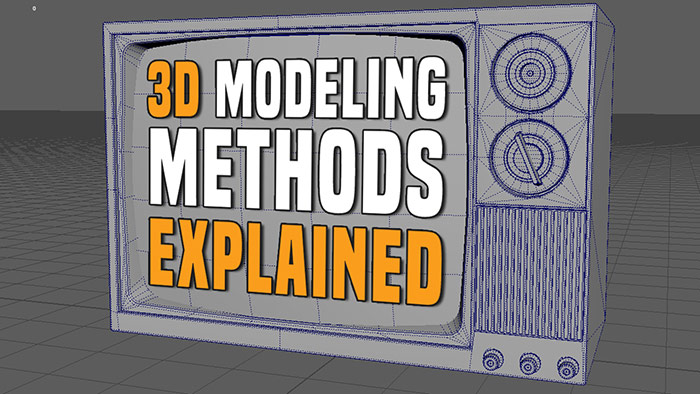
There are 4 primary modeling methods you need to know about: Polygonal, Subdivision, Sculpting and NURB/Curve modeling. Well, sculpting is not technically modeling but it does produce a mesh and is a very important part of 3d asset creation. I will explain more.
Each is used for a specific end result but there are many overlaps. In fact all 4 of these could be used within a single asset creation. But usually you isolate each of these into its unique modeling methods to get the job done.
Let's break these down one-by-one and dive-in further...
In-Depth Overview: How to Batch Export Using Maya Game Exporter for UE5/UE4
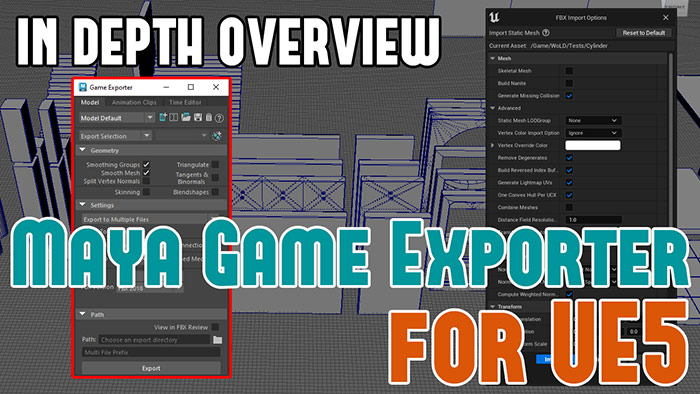
Exporting large number of Static Meshes is tedious and time-consuming, especially when you are working with a lot of modular meshes. Too much time is spent on exporting such as moving objects to World Origin, renaming, moving them back, then repeating the steps for the rest of the models.
But there is an easier way,
Maya Game Exporter can automate the export process for you. If you haven't used Maya Game Exporter, after this tutorial you will especially for a large set of modular meshes...
See the full in-depth overview of Maya Game Exporter and how to use it...
Modeling Better Windows for Environment Design in Maya (5-Part Series)
How do you model better windows for environments in Maya?

In this 5-part series I will show you.
We will model a total of 23 different types of windows. From fixed to hung, sliding, bay, circular and arch. All will be created within a modular wall. You will also learn how to detach the windows so they are separate piece of geometry.
Lots of techniques, tips and tools are covered in this 5-part series. Let's begin...
Textures Don't Match Between Substance and UE5
Before you start thinking textures from Substance don't match in UE5 and before going down rabbit hole of correcting LUTs or messing with color profiles.
Do this,
Step 1: Look at Unlit Mode or at Base Color only in both Substance and UE5. If they match then problem is likely UE5 lighting and exposure.

Step 2: In UE5 set your Post Process to enable the following:
- Min/Max EV100: 0
- Unbound: enabled

Step 3: Directional Light will be too strong. Change Intensity to standard 3.14 before increasing or decreasing when you do lighting.

Step 4: Run all the checks on textures in Substance on Export:
- Output Template: UE4 (works for UE5)
- 8bit PNGs (not 16bit)
Step 5: In UE5 run all the checks after import such as:
- Albedo should have sRGB enabled
- Normal should be set to Normal Map Compression Setting and Texture Group WorldNormalMap
- Packed Roughness/Metallic/AO should be set to sRGB disabled.
Step 6: If all this fails, start over with a new map. Export the textures again and re-import them.
Try different file format instead of PNGs.
And then you can look into experimenting with Substance ACES LUTs.
But usually one of these will fix the mismatch of textures from Substance to UE5.
Capture Your Own Environment Reference

Capture your own environment photo references.
Even if you don't end up using it or creating from it. It teaches you to pay attention and see the world around you in a different way.
It will help you become a better artist.
Difficulty Getting Back to Projects After Breaks
It's difficult to get back to projects after taking week or even few days off. You don't remember where u left off or what to do next.
You lose momentum.
This usually happens after vacations, holidays or when you get burnt out and have to walk away for a few days or weeks.
Next time away from work, write what u did last and what to do next. When you return you'll refocus quicker and start back on the first day.
You can do this using notebooks, on your computer, phone or using a whiteboard.
Exodus SDK Release

4A Games, the creators of Metro Exodus game have released Exodus SDK.
You can now begin modding Metro Exodus.
SDK includes the full tools developers themselves used to create the game. Such as Scene editor, model editor/viewer, navigation editor, particle editor, terrain tool, weather editor and much more.
See this page for how to get Excodus SDK and system requirements...
Hope you enjoyed this newsletter issue and check out some previous issues for more tutorials, techniques tips, advice and resources.

SUBSCRIBE & GET FREE UE5 PDF GUIDE
Subscribe to receive NEW/UPDATED and FREE "UE5 Beginner's Quick Start Guide" PDF (90 pages).

Visit this page for more info about the guide...
TOP 7 TUTORIAL COURSES FOR 2026
 Modular Environment Design Masterclass Tutorial Course
 Maya Foundation: Home-Study Course - Model and UV Environments
 Substance 3D Painter Essentials - Master Texturing
 UE5: Fundamentals Vol.1 - Create with Unreal Engine 5
 UE5: Retro Office Project - Create Beautiful Interior Env
 UE5: Master Material Creation - Create Master Materials in UE5
 Preproduction Blueprint: Plan Environments and Level Designs
TUTORIAL CATEGORIES
MODULAR ENVIRONMENTS MASTERCLASS

UE5: RETRO OFFICE PROJECT

MAYA FOUNDATION COURSE

SUBSTANCE PAINTER ESSENTIALS

LEARN THE PREPRODUCTION PROCESS

ABOUT WoLD & ALEXG

My name is AlexG. I am self-taught level designer, game environment artist and the creator of World of Level Design.com. I've learned everything I know from personal experimentation and decades of being around various online communities of fellow environment artist and level designers. On World of Level Design you will find tutorials to make you become the best level designer and game environment artist.
Home Terms of Use/Trademarks/Disclaimers Privacy Policy Donate About Contact
All content on this website is copyrighted ©2008-2024 World of Level Design LLC. All rights reserved.
Duplication and distribution is illegal and strictly prohibited.
World of Level Design LLC is an independent company. World of Level Design website, its tutorials and products are not endorsed, sponsored or approved by any mentioned companies on this website in any way. All content is based on my own personal experimentation, experience and opinion. World of Level Design™ and 11 Day Level Design™ are trademarks of AlexG.
Template powered by w3.css