World of Level Design™
Tutorials to Becoming the Best Level Designer and Game Environment Artist (since 2008)
"WoLD Insider" Newsletter Issue #11: Making Of, Substance Painter Tutorials and Environment Decal Tips
Category: Newsletters
August, 2022
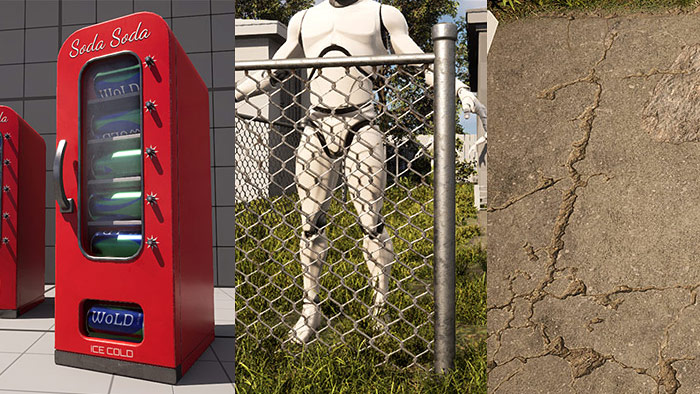
Welcome to "WoLD Insider" newsletter issue #11.
"WoLD Insider" Issue #11 contains - 2 Making of tutorials, Substance Painter for creating glass and text tutorials, environment design decal tips and 10 Maya quick tips.
Every single "WoLD Insider" newsletter features level design and game environment art advice, tips, ideas, inspiration, links, resources and updates about World of Level Design. "WoLD Insider" is EXCLUSIVE to you as WoLD subscriber.
Following Issue #11 of "WoLD Insider" contains:
- Beginner's Tutorial to Creating Chain Link Fence (Maya, Substance Painter, UE5)
- The Making of Retro Soda Vending Machine (Maya, Substance Painter, UE5)
- Substance Painter: Complete How to Create Glass Tutorial
- Substance Painter: Guide to Adding Text/Font and Alpha Design Logos
- Two Decal Tips for Environment Design
- Maya: Quick Tip Tutorials Part 1 (Tips #1-10)
Beginner's Tutorial to Creating Chain Link Fence (Maya, Substance Painter, UE5)

Chain link fence - you will need one for any urban or suburban environment you create.
You don't need to model the actual chain link geometry. You need to use opacity mask to fake the illusion of your geometry through a texture and this is done in Substance Painter. Then set up the Material using the Opacity Mask in UE5.
In this 3-part tutorial breakdown you will see the entire process:
- Part 1: Chain Link Fence Modeling and UVing in Maya
- Part 2: Chain Link Fence Texturing in Substance Painter
- Part 3: Chain Link Fence in UE5
Full Tutorial with Video and Notes: Beginner's Tutorial to Creating Chain Link Fence...
The Making of Retro Soda Vending Machine (Maya, Substance Painter, UE5)

Creating environments can be overwhelming due to the amount of work that's required.
Props can help you focus on one object at a time without having to worry on something bigger that will take weeks or months to complete. Most props can be completed within a couple of days. Not to mention that you'll need to create your own props to set dress your environments.
In this making of, I'm going to show you how the retro soda vending machine was created and challenges that came from it.
Full Tutorial with Video and Notes: The Making of Retro Soda Vending Machine...
Substance Painter: Complete How to Create Glass Tutorial

Here is how to create glass in Substance Painter. In addition, I'll show you how to add your own customized dirt to the glass and how to export textures so you can set up the glass material in Unreal Engine.
See the full tutorial on the blog here...
Substance Painter: Guide to Adding Text/Font and Alpha Design Logos
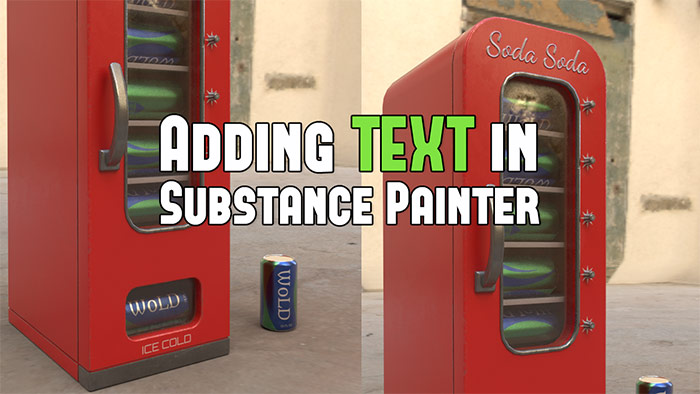
Substance Painter doesn't have a Text Tool as you would expect. But there is a way to add custom text onto your textures/models. In this tutorial we'll cover how to add custom text, design logo stamps and few extra things that most tutorials fail to mention.
See the full tutorial on the blog here...
Two Decal Tips for Environment Design
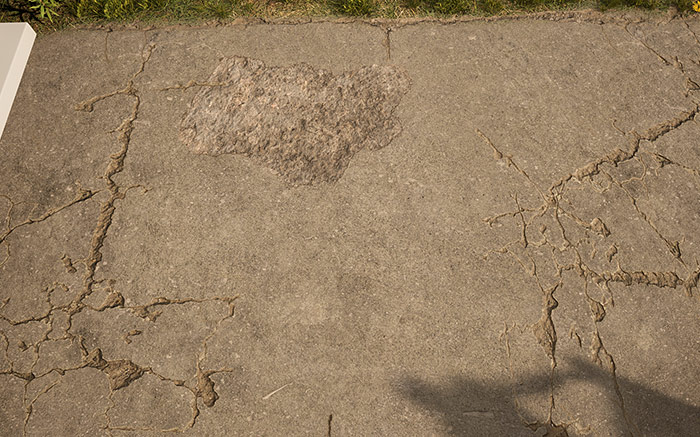
Tip #1: If using Megascans decals with UE4 or UE5, double click on Decal Material Instance to open up its properties and tweak Color Overlay to make decals match underlying material. Then see if you need to tweak other properties such Color Intensity or Opacity Intensity.
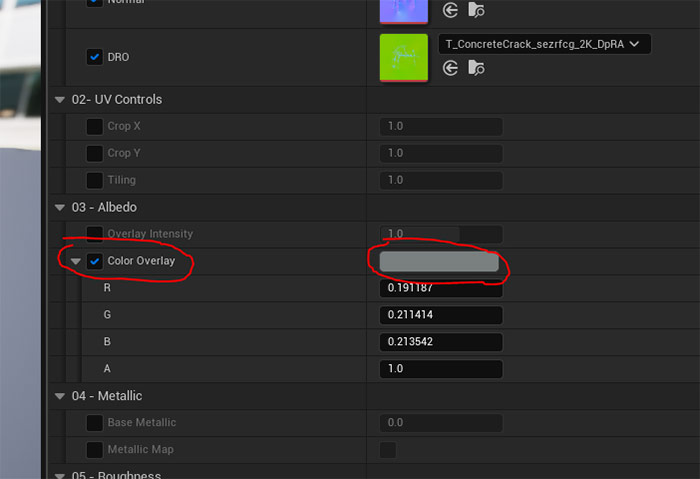
Before:
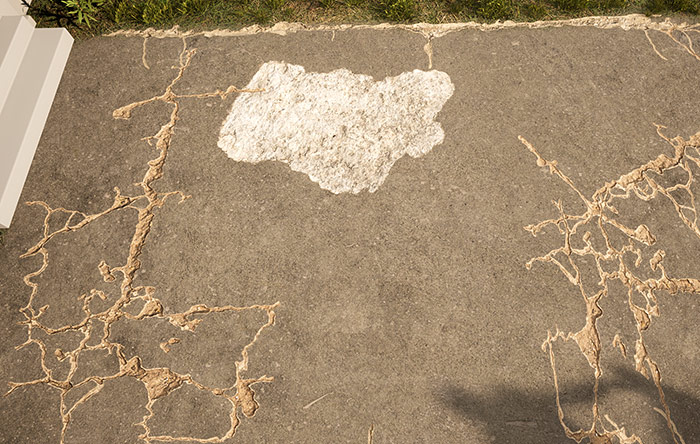
After:
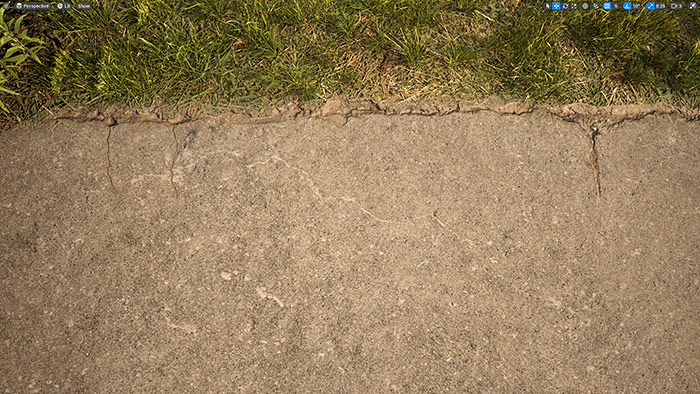
Tip #2: Use decals to create natural transition between two different surface types.
Before:

After:
Maya: Quick Tip Tutorials Part 1 (Tips #1-10)
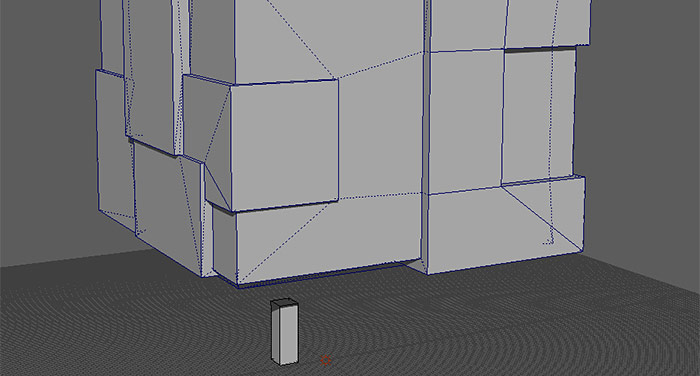
The following quick tips series is created for beginners and experts using Maya software.
These are quick, useful tips to help improve, refine and remind you of tools, techniques, shortcuts and principles you may have not known or forgotten about.
Following tutorial post includes various 10 Maya Quick Tips...
Hope you enjoyed this newsletter issue and check out some previous issues for more tips, links, advice and techniques.

SUBSCRIBE & GET FREE UE5 PDF GUIDE
Subscribe to receive NEW/UPDATED and FREE "UE5 Beginner's Quick Start Guide" PDF (90 pages).

Visit this page for more info about the guide...
TOP 7 TUTORIAL COURSES FOR 2026
 Modular Environment Design Masterclass Tutorial Course
 Maya Foundation: Home-Study Course - Model and UV Environments
 Substance 3D Painter Essentials - Master Texturing
 UE5: Fundamentals Vol.1 - Create with Unreal Engine 5
 UE5: Retro Office Project - Create Beautiful Interior Env
 UE5: Master Material Creation - Create Master Materials in UE5
 Preproduction Blueprint: Plan Environments and Level Designs
TUTORIAL CATEGORIES
MODULAR ENVIRONMENTS MASTERCLASS

UE5: RETRO OFFICE PROJECT

MAYA FOUNDATION COURSE

SUBSTANCE PAINTER ESSENTIALS

LEARN THE PREPRODUCTION PROCESS

ABOUT WoLD & ALEXG

My name is AlexG. I am self-taught level designer, game environment artist and the creator of World of Level Design.com. I've learned everything I know from personal experimentation and decades of being around various online communities of fellow environment artist and level designers. On World of Level Design you will find tutorials to make you become the best level designer and game environment artist.
Home Terms of Use/Trademarks/Disclaimers Privacy Policy Donate About Contact
All content on this website is copyrighted ©2008-2024 World of Level Design LLC. All rights reserved.
Duplication and distribution is illegal and strictly prohibited.
World of Level Design LLC is an independent company. World of Level Design website, its tutorials and products are not endorsed, sponsored or approved by any mentioned companies on this website in any way. All content is based on my own personal experimentation, experience and opinion. World of Level Design™ and 11 Day Level Design™ are trademarks of AlexG.
Template powered by w3.css