World of Level Design™
Tutorials to Becoming the Best Level Designer and Game Environment Artist (since 2008)
Guide to Collecting Level Design Reference
Category: Game Environment Art, Level Design
September 02, 2009
Collecting reference is a very important part of pre-production. If reference images are not collected, you will have a hard time creating something that looks real, authentic and high quality.
Using reference for your level designs is the key to create real, authentic environments.
One thing that I notice that most people do not do is use reference in their environment creation. That is a huge mistake. Reference is something that should always be used at every step along the mapping process.
Here are five different types of reference I use.
There are 5 different types of reference:
1. Architecture reference

Collect images of buildings, streets, shops, back alleys etc.
As you are collecting architectural reference, you will begin to get more clear idea on what it is you will need to create in architectural details and prop assets.
2. Environment reference

3. Light reference
Collect lighting reference.
Lighting reference is anything that has relevance to the lighting of your environment you are trying to create.
Is it daytime? Night? Evening?
Is it raining?
Overcast?
Foggy?
How hot/cold is it? Temperature has an effect on lighting.
All of these will determine how the lighting will look in the environment

4. Prop reference

5. Inspiration reference
When collecting inspirational and style reference, it is the visual and the emotional reference. Emotional response you have to an image will determine if that image is what you need or not. If the image does not evoke an emotional response, find an image that does.

Each one has their intended purpose. For your level designs you want to collect as much as needed for all five.
One thing to keep in mind is try to avoid collecting reference that has little to do with what you are creating. Collect reference to what you are intending to create.
By going through your mapping list that you created in last chapter you can begin to see what assets you need. Use the following two websites to do all your research and collecting reference.
Focus on having 2-3 good images for each building and prop in your environment. Try to go for less then more. Problem with collecting a lot of reference images, you will begin to incorporate various different aspects form 3-5 buildings into one, which will result in mishmash of shapes and detail.
Keep it simple.
Often enough having 1-2 images of architectural references is enough.
After collecting all the references, bring them into Photoshop and arrange them on a sheet of 8x10 or 17x11.

Your Task:
- Collect photo reference of your environment you are creating.
- Go to two websites:
Images.google.com
Flickr.com
These are good websites to start with. Then you can begin expand to others. - Collect 2-3 images for each of the building, lighting, and prop you have in your map.
- Arrange your collected reference on 8x10 or 17x11 image

SUBSCRIBE & GET 2 FREE PDF GUIDES
Subscribe to WoLD and receive 2 FREE PDF Level Design Guides (200+ pages).
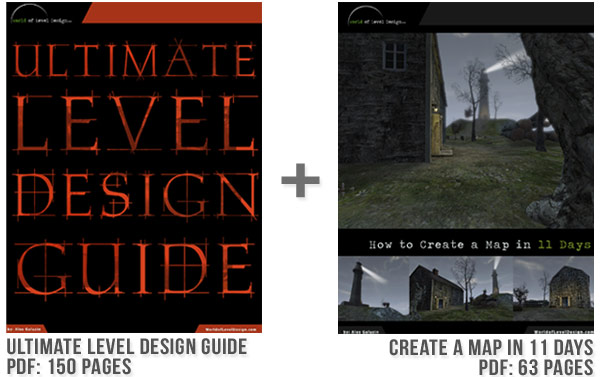
Want to know more what you are getting by subscribing?
TOP 7 TUTORIAL COURSES FOR 2026
 Modular Environment Design Masterclass Tutorial Course
 Maya Foundation: Home-Study Course - Model and UV Environments
 Substance 3D Painter Essentials - Master Texturing
 UE5: Fundamentals Vol.1 - Create with Unreal Engine 5
 UE5: Retro Office Project - Create Beautiful Interior Env
 UE5: Master Material Creation - Create Master Materials in UE5
 Preproduction Blueprint: Plan Environments and Level Designs
TUTORIAL CATEGORIES
MODULAR ENVIRONMENTS MASTERCLASS

LEARN THE PREPRODUCTION PROCESS

ABOUT WoLD & ALEXG

My name is AlexG. I am self-taught level designer, game environment artist and the creator of World of Level Design.com. I've learned everything I know from personal experimentation and decades of being around various online communities of fellow environment artist and level designers. On World of Level Design you will find tutorials to make you become the best level designer and game environment artist.
Home Terms of Use/Trademarks/Disclaimers Privacy Policy Donate About Contact
All content on this website is copyrighted ©2008-2024 World of Level Design LLC. All rights reserved.
Duplication and distribution is illegal and strictly prohibited.
World of Level Design LLC is an independent company. World of Level Design website, its tutorials and products are not endorsed, sponsored or approved by any mentioned companies on this website in any way. All content is based on my own personal experimentation, experience and opinion. World of Level Design™ and 11 Day Level Design™ are trademarks of AlexG.
Template powered by w3.css